

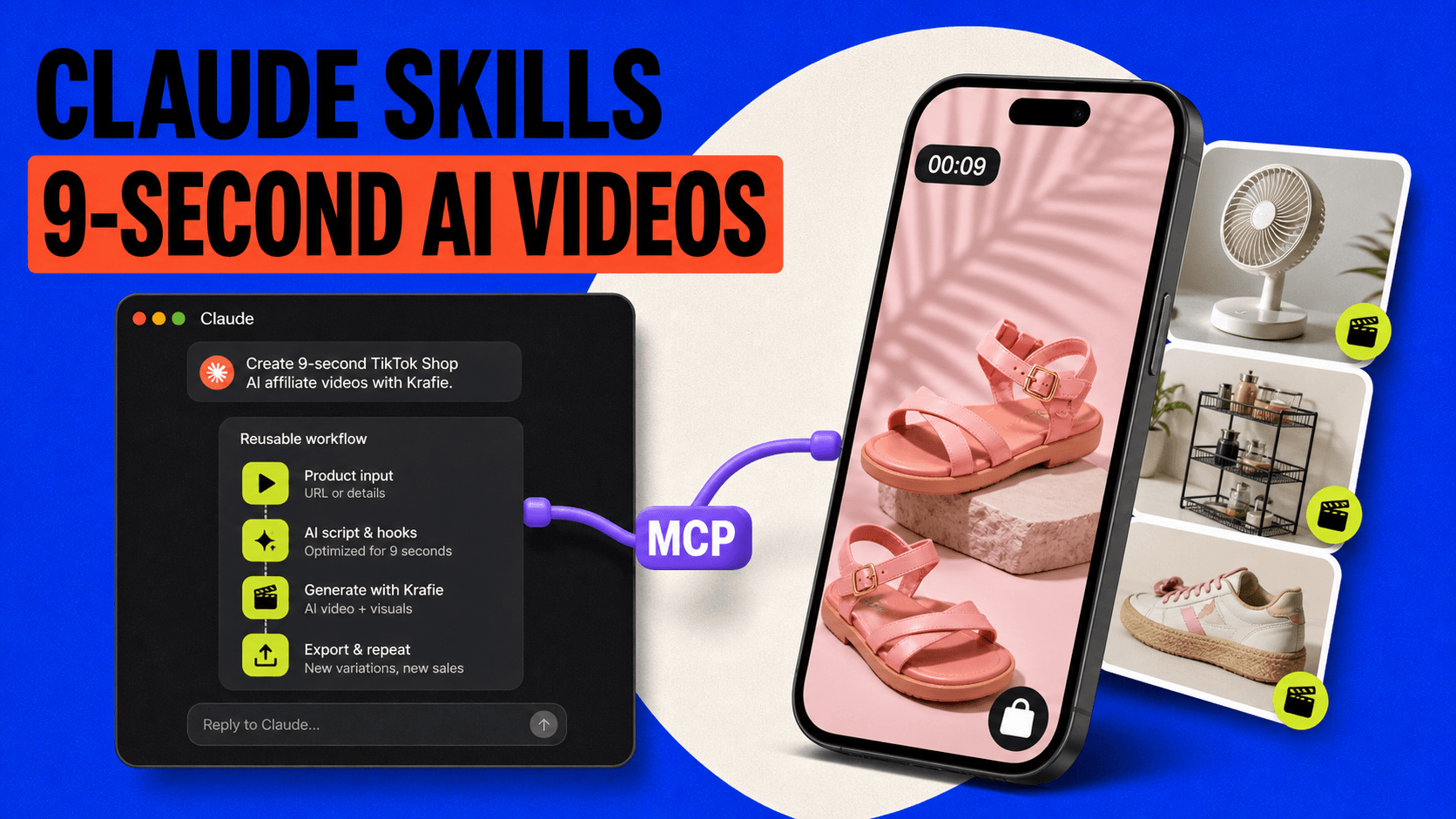
Short TikTok Shop videos do not need to look like commercials to convert. Some of the strongest affiliate formats are only 9–15 seconds long: a quick visual hook, a clean product reveal, one reason to buy, and a direct call to action.
The challenge is producing enough variations to test without rebuilding the same workflow every time. In this guide, I’ll show you how to turn proven TikTok Shop formats into reusable Claude Skills, connect Claude to the Krafie AI Video Generator through MCP, and generate short AI affiliate videos at scale.
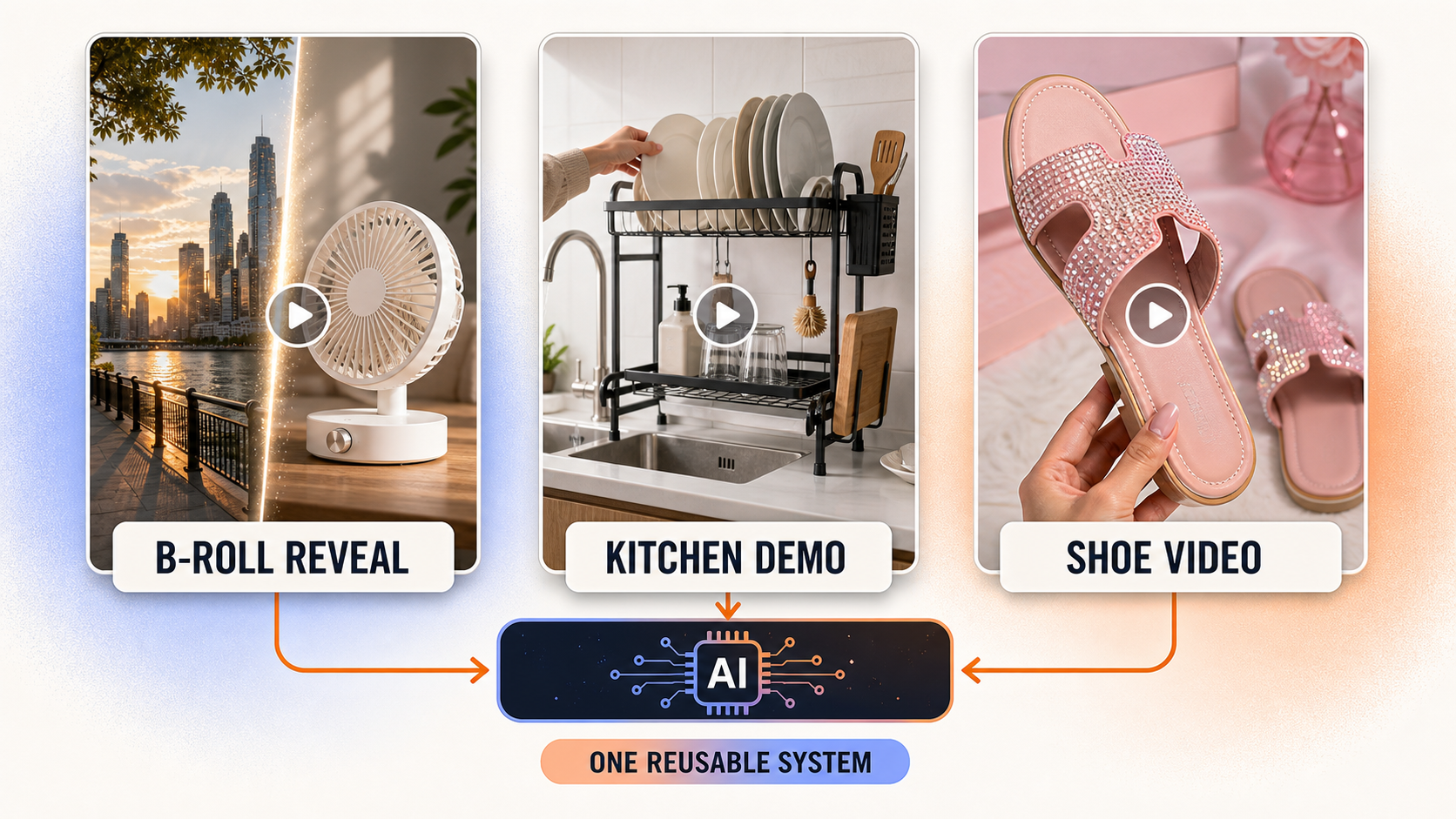
You’ll see three repeatable formats: urgency-driven product reveals, faceless kitchen demonstrations, and creator-style shoe videos.
Watch the original YouTube tutorial this guide is based on.
Why 9-Second TikTok Shop Videos Can Convert
The reference creators analyzed for this workflow generated approximately $170,000, $119,000, and $191,000 in 30-day GMV. Those numbers represent gross merchandise value attributed to their content—not personal earnings or guaranteed results.
Their videos were not AI-generated. What matters is that their formats are easy to reproduce with AI because they are:
- short and visually simple
- focused on one product
- easy to understand without a long explanation
- often paired with native TikTok text and music
- designed to close a sale rather than build broad awareness
That final point is important. These are bottom-of-the-funnel TikTok Shop videos. The viewer may have already seen the product several times. Your video is the final reminder that makes the offer feel timely.
The Repeatable AI Video Workflow
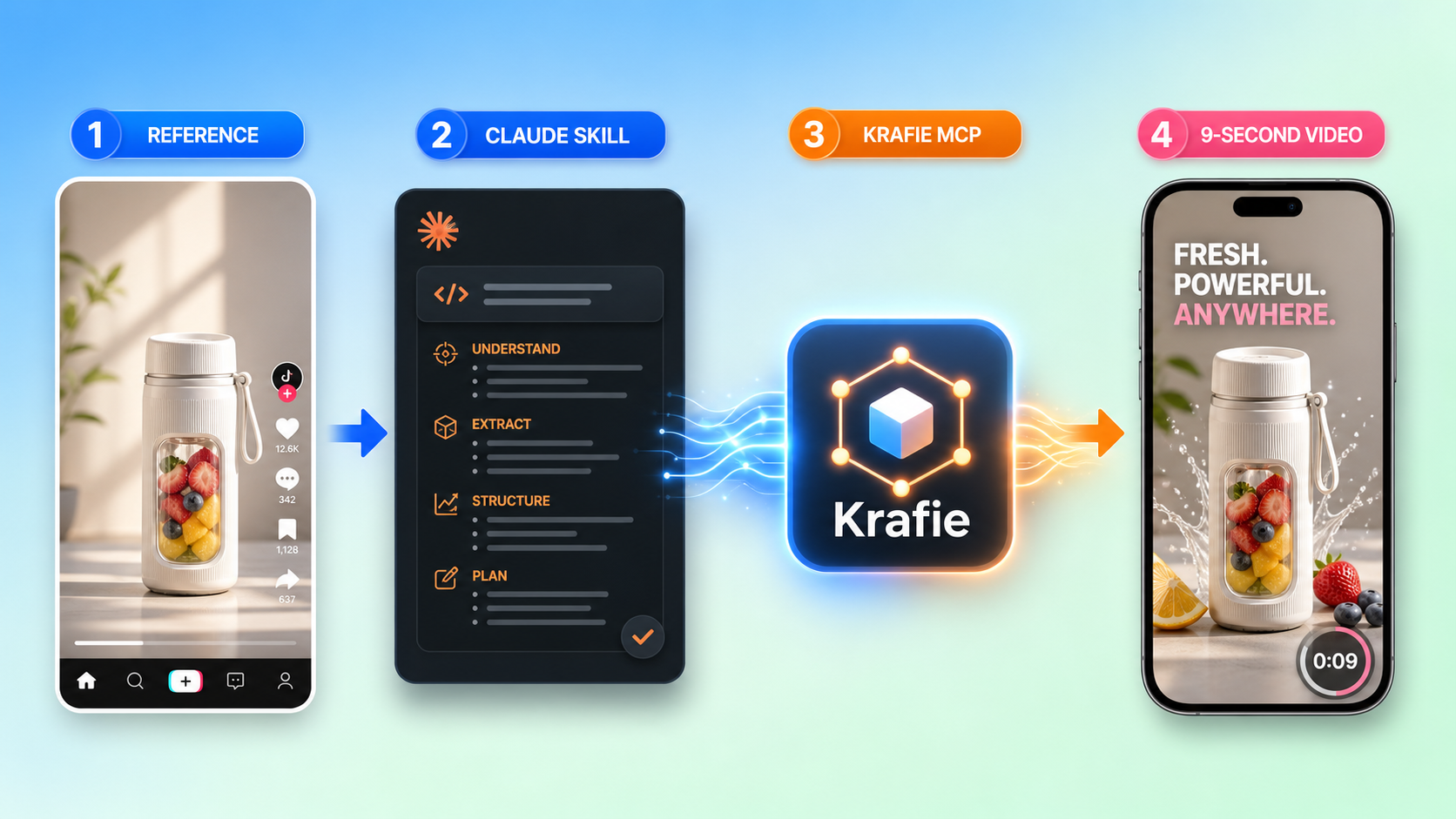
The full workflow looks like this:
- Find a proven TikTok Shop video format.
- Download one reference video for analysis.
- Use Claude’s strongest planning model to break down the format.
- Turn that analysis into a reusable Claude Skill.
- Connect Claude to Krafie through MCP.
- Upload a product reference image.
- Generate a text-free AI video.
- Add native text, music, product links, and disclosures in TikTok.
- Repeat with new products and controlled variations.
The key is not generating one video. It is creating a reusable system that can produce many product-specific versions without losing the structure that made the original work.
Step 1: Find a Proven TikTok Shop Reference
Start with videos that are already selling. Look for formats that can be explained in a few beats and recreated without copying a creator’s identity, exact script, or branding.
Good candidates usually have:
- a strong first-frame visual
- one obvious product benefit
- a simple camera path
- a short runtime
- a clear urgency or value angle
Download one reference video so Claude can analyze its pacing, framing, sequence, transitions, and sales logic.
Step 2: Analyze the Video With Claude
Upload the reference video to Claude and ask it to analyze the structure frame by frame. Use the strongest available reasoning model for this planning stage because the quality of the analysis determines the quality of the reusable template.
Ask Claude to identify:
- the opening hook
- shot duration and pacing
- camera movement
- how and when the product appears
- whether the format uses B-roll, dialogue, or voiceover
- the emotional trigger behind the CTA
- which elements must change for each product
Use an expensive reasoning model for analysis and planning, then switch to a less expensive model for routine execution. This keeps quality high without wasting usage on repetitive steps.
Step 3: Turn the Format Into a Reusable Claude Skill
A Claude Skill turns the analysis into a repeatable operating procedure. Instead of explaining the format again for every product, you can ask Claude to run the same skill with a new product image and offer details.
A useful skill should define:
- target runtime and aspect ratio
- shot order
- camera behavior
- product placement rules
- voiceover rules, if any
- what should remain variable between generations
- what must never appear in the generated footage
Make the skill general enough to work across products. For example, an urgency B-roll skill should be able to switch between a city street, park, apartment, or summer setting while preserving the same product-reveal structure.
For the cleanest workflow, instruct the generator to create no baked-in text, captions, logos, or music. Add those natively inside TikTok after generation.
Step 4: Connect Claude to Krafie Through MCP
Claude needs access to a video-generation platform before it can create the final clips. The Krafie Video Studio provides that production layer and can be connected to Claude through the Krafie MCP connector.
The basic setup is:
- Create or sign in to your Krafie account.
- Open Connect via MCP in Krafie.
- Copy the remote MCP server URL.
- In Claude, open Customize → Connectors.
- Add a custom connector named Krafie.
- Paste the MCP server URL and authenticate the connection.
- Allow video-generation actions.
For the complete setup, read how to connect Krafie and Claude with MCP.
Once connected, Claude becomes the planner and Krafie becomes the creation engine. You can send a product image and ask Claude to generate the clip using the skill you already built.
If your product reference needs cleanup first, use the Krafie AI Image Generator to create or refine the image before sending it into Video Studio.
Format 1: Urgency B-Roll and Product Reveal
This is the fastest format in the tutorial. It opens with lifestyle B-roll, switches to a close product reveal, and relies on native TikTok text to create urgency.
Recommended length: 8–9 seconds
Structure:
- 0–4 seconds: relatable seasonal or lifestyle B-roll
- 4–9 seconds: clean reveal and close-up of the product
For a mini tower fan, the opening could show an overheated apartment or summer city scene before cutting to the fan operating on a desk.
Create a 9-second vertical TikTok Shop video using the uploaded mini fan as the exact product reference. Begin with realistic summer B-roll inside a hot apartment, then cut to a close-up reveal of the fan running on a desk. Preserve the product’s shape, colors, controls, and proportions. Use natural handheld movement and realistic lighting. No text, captions, logos, music, or voiceover.
After generation, add a short native caption based on the real offer, such as a verified flash-sale deadline or current discount. Never invent urgency.
Format 2: Faceless Kitchen Product Demonstration
This format starts on the product immediately and demonstrates how it solves a visible problem. It works well for kitchen organizers, sink accessories, storage products, and simple home gadgets.
Recommended length: 12–15 seconds
Structure:
- Show the product installed or in use.
- Demonstrate the main benefit from two or three angles.
- End with the cleaner, easier, or more organized result.
Create a 15-second vertical faceless TikTok Shop demonstration using the uploaded over-sink dish rack as the exact product reference. Show it installed above a realistic kitchen sink, then show plates, glasses, and utensils being placed on it. Include close-ups of water dripping directly into the sink and finish on a clean, dry countertop. Use natural creator-style camera movement and realistic lighting. Preserve the product’s layout and materials. No on-screen text or logos.
A matching voiceover could say:
This over-sink dish rack is genius. Plates, glasses, and utensils stay off the counter, and everything drips directly into the sink. No puddles, no wasted space, and the kitchen looks instantly cleaner.
Format 3: Creator-Style Shoe Videos
Shoes are ideal for short AI affiliate videos because the product is visual, the benefits are easy to describe, and one attractive try-on angle can communicate most of the offer.
Recommended length: 9–12 seconds
Structure:
- Show the shoes worn in a natural creator-style setting.
- Move closer to highlight sparkle, texture, cushioning, or heel height.
- End with a short benefit and truthful urgency CTA.
Create a 9-second vertical creator-style TikTok Shop video using the uploaded pink butterfly sandals as the exact product reference. Show the same sandals being worn in a casual mirror setting, then move into a handheld close-up that highlights the rhinestone straps, pink color, sole, and heel. Keep the shoe design accurate and consistent in every frame. Use warm natural lighting and believable smartphone footage. No text, logos, or music.
A simple voiceover could say:
These butterfly sandals are stunning. The rhinestone straps catch the light, the pink is so cute, and the heel is actually wearable. If your size is still available, grab them before they sell out.
How to Choose Products for AI TikTok Shop Videos
The format matters, but product selection matters more. Prioritize products with:
- a clear visual benefit
- clean, high-resolution reference images
- strong ratings and recent sales activity
- a genuine promotion, coupon, or flash sale
- simple demonstrations that fit inside 15 seconds
- enough margin or commission to justify generation costs
Seasonal products can also create natural urgency. A portable fan is easier to position during hot weather, while sandals are easier to sell during spring and summer.
Add Text and Music Inside TikTok
Generate clean footage first, then add the sales layer inside TikTok. Native text and audio are easier to update, feel more natural on the platform, and reduce the chance of garbled AI typography.
Your final post should include:
- a short first-frame hook
- the real discount or product benefit
- a clear product-link CTA
- relevant native music or original voiceover
- the correct product tag
- AI and affiliate disclosures when required
Keep text inside the safe area so TikTok’s interface does not cover it.
Control AI Video Costs
AI video generation can get expensive if you regenerate blindly. Use a simple cost-control system:
- use premium reasoning only for the initial analysis
- reuse validated Claude Skills
- keep videos between 9 and 15 seconds
- start with one generation per product
- change one variable at a time
- track generation cost, clicks, orders, and commission
The goal is not to create the prettiest video. It is to build a format with a sustainable cost per sale.
TikTok Shop AI Content Compliance
AI does not remove your responsibility to represent products honestly. Before posting:
- make sure the generated product matches the real listing
- do not fabricate prices, deadlines, reviews, or discounts
- avoid unauthorized creator likenesses
- use only music and media you have permission to publish
- disclose affiliate relationships and AI-generated media when required
- review current TikTok Shop policies before scaling
A high-converting video is useless if it creates refunds, policy violations, or account risk.
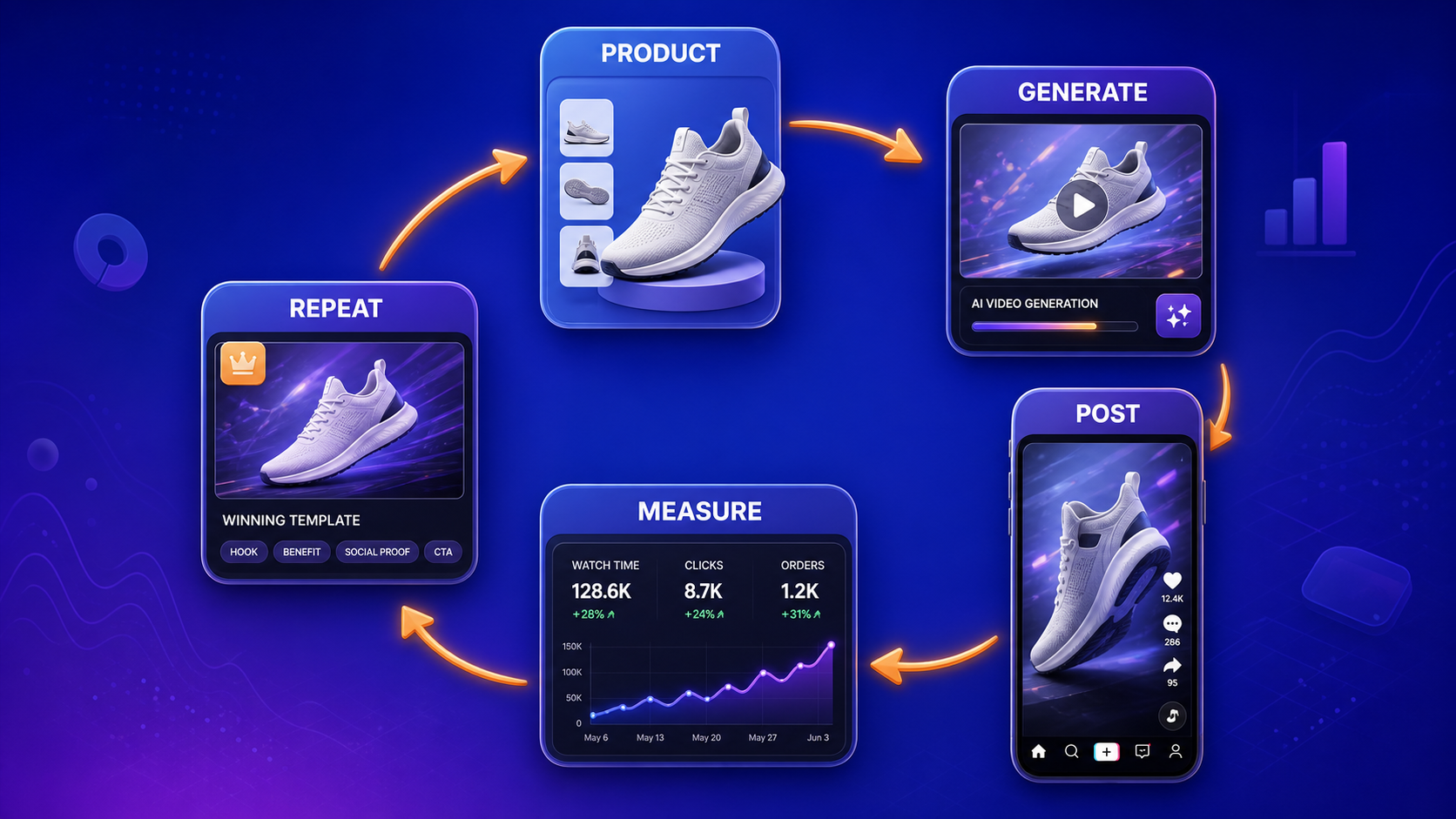
A Simple Testing Plan
Start with one product and generate three controlled variations:
- Variation A: original skill structure
- Variation B: different opening B-roll or first angle
- Variation C: different truthful benefit or urgency hook
Track views, average watch time, product clicks, click-through rate, orders, commission, and cost per generated clip. Keep the winning structure, replace weak openings, and move on quickly when a product gets views but no buying intent.
Frequently Asked Questions
Can Claude generate TikTok Shop videos directly?
Claude can plan the video, create the reusable skill, and send generation instructions through an MCP-connected platform such as Krafie. Krafie handles the image and video generation.
How long should TikTok Shop AI videos be?
For product-reveal and shoe formats, 9–12 seconds is a strong starting point. Demonstrations that need several actions may work better at 12–15 seconds.
Should AI-generated videos include text?
Usually, generate the footage without baked-in text and add text natively in TikTok. This produces cleaner typography and makes the offer easier to update.
What is a Claude Skill?
A Claude Skill is a reusable set of instructions, rules, and workflow steps. In this use case, it preserves a proven video structure so you can apply it to different products.
Does GMV equal affiliate earnings?
No. GMV is the total merchandise value attributed to content. Affiliate earnings depend on commission rates, returns, cancellations, attribution, and platform rules.
Related Krafie Guides
Build Your TikTok Shop AI Video System With Krafie
The real advantage is not one AI-generated clip. It is a repeatable workflow:
- study a proven format
- turn it into a reusable Claude Skill
- connect Claude to Krafie through MCP
- generate clean product footage
- add native TikTok sales elements
- test, measure, and repeat
Start creating AI product videos in Krafie Video Studio, or open Krafie’s MCP connector to begin building the Claude workflow.
Let AI handle the repeatable production work. Keep human judgment focused on products, offers, compliance, and testing.