

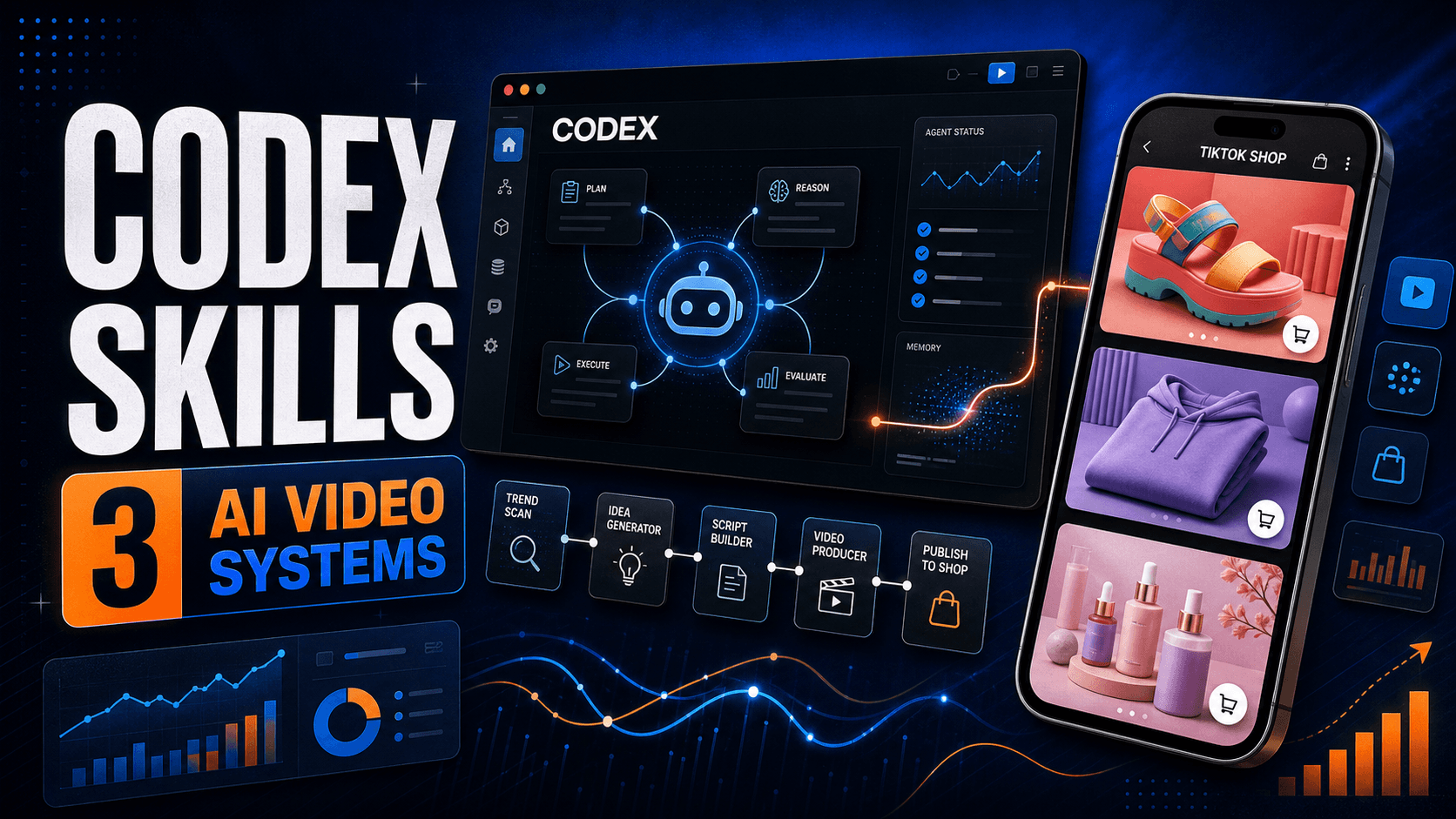
TikTok Shop affiliate videos do not need to be long, cinematic, or filmed from scratch. Some of the strongest product formats are short, repeatable, and focused on one job: giving a shopper the final reason to buy.
In this guide, I will show you how to use GPT-5.6 Sol in Codex to study a proven TikTok Shop format, turn the analysis into a reusable Codex Skill, and generate new product videos with Krafie Video Studio.
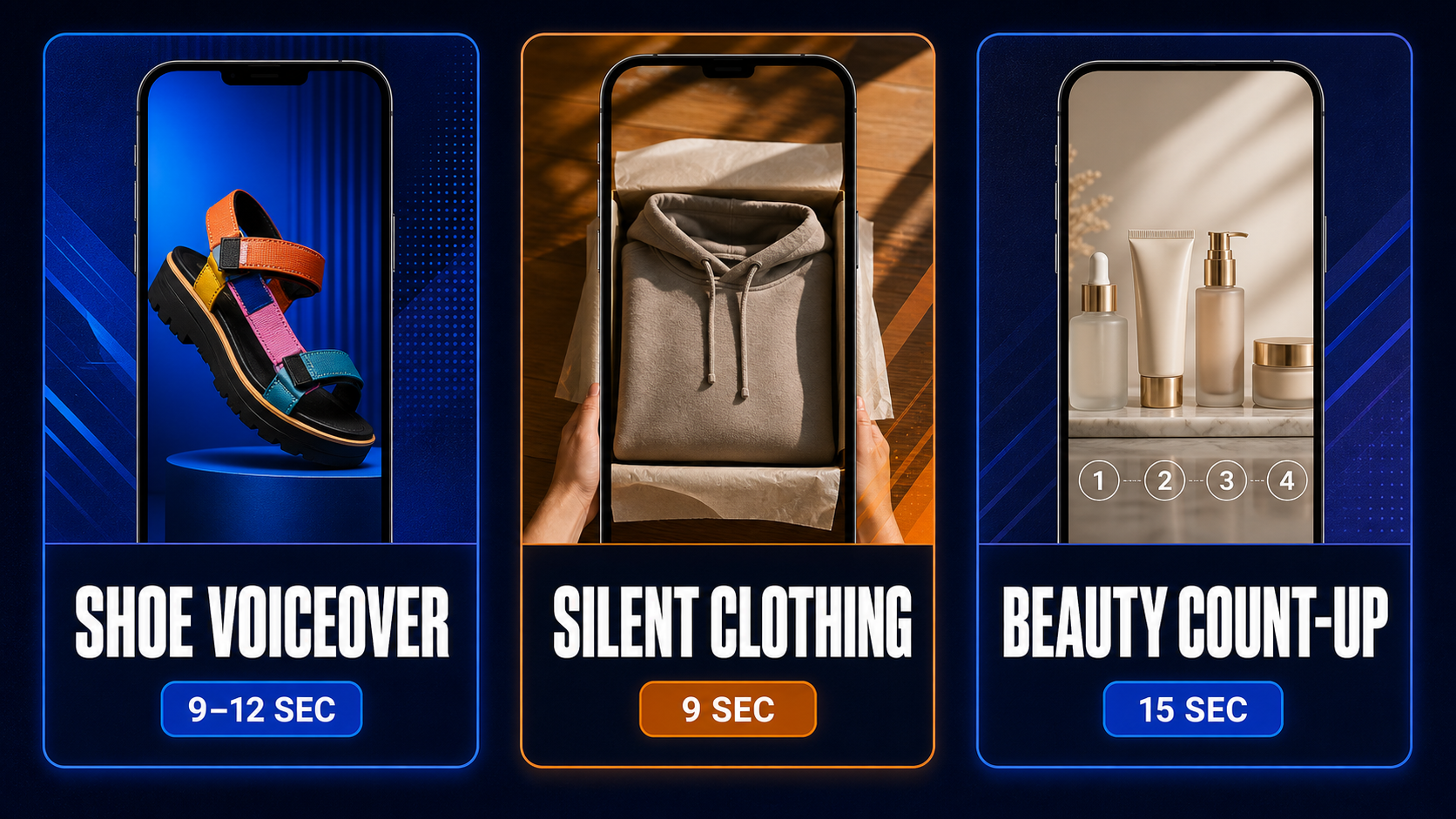
You will also get three practical templates from the source video: a shoe voiceover, a silent clothing reveal, and a beauty bundle count-up.
Quick answer
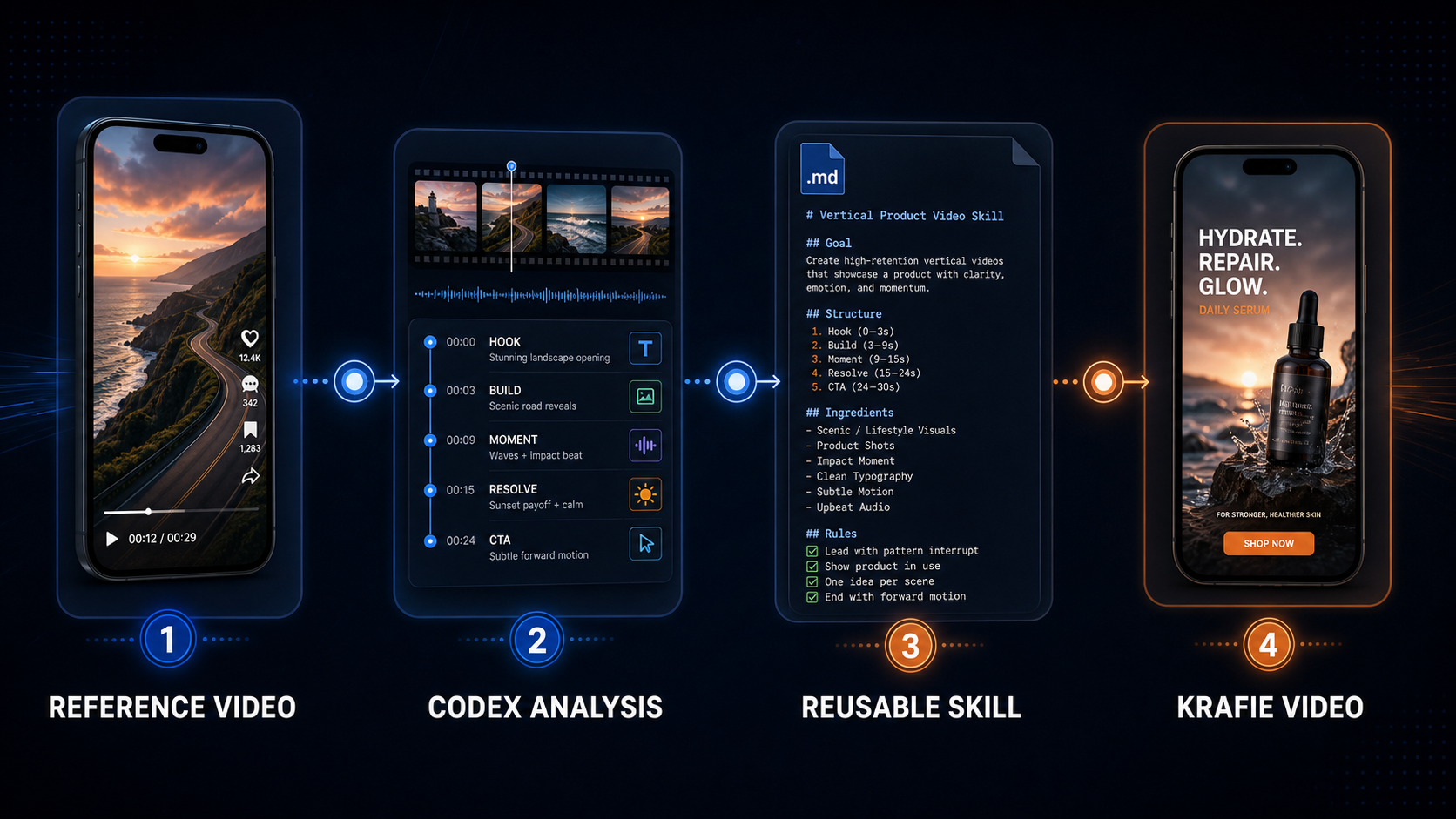
The repeatable system is: analyze a reference video in Codex, save its hook, pacing, framing, voiceover, and CTA as a Skill, connect Codex to Krafie through MCP, then reuse that Skill with a new product image. The Skill preserves the format while Krafie generates original footage for each product.
Why Codex Skills Are Useful for TikTok Shop AI Videos
Most creators treat every AI video as a new project. They rewrite the prompt, guess at the pacing, change the camera instructions, and hope the result looks right.
A Codex Skill changes that. Instead of saving one loose prompt, you save a complete workflow that can include:
- the opening hook
- shot length and camera behavior
- product framing rules
- voiceover structure
- caption and CTA formulas
- negative instructions
- a quality-control checklist
OpenAI describes Skills as reusable packages of instructions, resources, and optional scripts that help Codex follow a workflow reliably. You can read the official Codex Skills documentation for the underlying format.
That makes Skills a strong fit for TikTok Shop content. You can create one reliable shoe format, one clothing format, and one beauty bundle format, then swap the product instead of rebuilding the creative strategy every time.
GPT-5.6 Sol: Correcting the Transcript
The auto-generated transcript calls the model “GPT 5.6 Soul.” The correct name is GPT-5.6 Sol.
In the current Codex model lineup, OpenAI positions Sol for complex, open-ended work that benefits from extra judgment and polish. That makes it a sensible choice for analyzing a reference video and turning its creative structure into a reusable workflow. For narrower, high-volume tasks, a faster model may be enough.
The important point is not that one model will magically create a winning TikTok account. The advantage comes from combining a capable planning model with a good reference, clear constraints, a video generator, and human review.
The GMV Examples in the Video
The source video studies three affiliate accounts and the product formats they use. The examples are presented as format inspiration, not as proof that AI-generated versions will produce the same results.
| Category | GMV shown | Video format | Target length |
|---|---|---|---|
| Shoes | About $191,000 monthly GMV | One-shot product showcase with voiceover | 9–12 seconds |
| Clothing | About $107,000 monthly GMV | Silent POV reveal with native TikTok text | About 9 seconds |
| Beauty bundles | About $1.2 million monthly GMV | Product count-up, value stack, and urgency | About 15 seconds |
GMV is gross merchandise value, not creator income. Commissions vary by product, seller, returns, attribution, and program terms. Use these numbers to understand the scale of the formats—not as an earnings promise.
Why These Short TikTok Shop Formats Can Convert
These are primarily bottom-of-the-funnel videos. The viewer may already know the product from other creators, ads, livestreams, or earlier posts. Your video is not always responsible for explaining everything. Its job is often to make the offer feel timely and easy to act on.
The formats work because they are:
- focused on one product or bundle
- easy to understand without a long explanation
- built around a visible feature, deal, or use case
- short enough to generate and test at reasonable cost
- finished with a direct product-link CTA
If you are new to the business model, read the broader TikTok Shop affiliate AI guide first. This article goes deeper on the Codex Skill workflow.
How to Connect Codex to Krafie Through MCP
Codex handles the analysis and reusable instructions. Krafie supplies the video-generation tools. The two can communicate through Krafie’s MCP connection.
MCP stands for Model Context Protocol. OpenAI describes it as a way to connect models to external tools and context. The ChatGPT desktop app, Codex CLI, and IDE extension can use configured MCP servers.
- Open your Krafie account and go to Connect via MCP.
- Choose the Codex instructions and copy the server details provided there.
- In the ChatGPT desktop app, open Settings and select MCP servers.
- Choose Add server, enter a name, and add the Krafie server URL or command shown in your account.
- Save the connection, restart when prompted, and authenticate if required.
- Confirm that Krafie’s video tools are available before starting the workflow.
The exact buttons can change as the desktop app evolves, so use the current official Codex MCP instructions alongside the setup guide inside Krafie.
Step-by-Step: Turn a TikTok Video Into a Codex Skill
1. Choose a reference format, not just a viral video
Pick a video whose structure can work across many products. Look for a repeatable camera angle, clear pacing, a simple hook, and an obvious CTA. A complicated comedy sketch may be viral but difficult to generalize. A nine-second product reveal is easier to turn into a system.
2. Give Codex the reference
In the demonstrated workflow, Codex analyzes a public TikTok link. Access can vary by page permissions and platform restrictions. If the link cannot be read, download the reference video legally and attach the file, or provide screenshots plus the transcript.
3. Ask for structure, not a copy
The goal is to learn the format without duplicating someone else’s exact creative. Ask Codex to identify:
- the hook and first-frame composition
- the shot sequence and timing
- the voiceover or on-screen text pattern
- the product proof being shown
- the CTA and urgency mechanism
- what must remain variable for a new product
4. Save the analysis as a reusable Skill
Ask Codex to create a Skill with a clear trigger description, required inputs, generation instructions, negative constraints, and review checklist. A useful Skill should know when to run and what a successful output looks like.
5. Generate in Krafie
Upload a clean product image, invoke the saved Skill, and use Krafie Video Studio to generate the clip. If you need a cleaner reference or product composition first, prepare it in the Krafie AI Image Generator.
6. Review before posting
Check product color, shape, quantity, claims, timing, hands, logos, spoken words, and CTA. AI can produce a polished-looking clip that is still inaccurate. Never publish a generation just because it completed successfully.
Three TikTok Shop AI Video Skills to Build
Format 1: One-Shot Shoe Voiceover
This is the simplest format in the source video. The camera stays focused on the shoe while a short voiceover covers the most visible features and ends with a direct CTA.
Skill rules:
- 9–12 seconds, vertical 9:16
- one continuous handheld-style shot
- shoe remains large and readable in frame
- mention two or three verifiable features
- end with a size or product-link CTA
- no baked-in captions unless requested
Reusable prompt:
Analyze this reference as a universal TikTok Shop shoe format. Preserve the pacing, product framing, voiceover structure, and CTA logic, but do not copy the creator or exact wording. Create a 9–12 second vertical product video using the attached shoe as the only product reference. Keep the shoe accurate. Write a concise voiceover using only features visible in the product image or supplied by me. End with a natural product-link CTA. Save the final workflow as a reusable shoe-video Skill.
Format 2: Silent POV Clothing Reveal
This clothing format uses movement and framing instead of a voiceover. The generated footage stays clean, while the creator adds native text and music inside TikTok afterward.
Skill rules:
- about 9 seconds, vertical 9:16
- casual first-person or handheld approach
- full garment reveal followed by useful detail shots
- no generated speech, music, or baked-in text
- preserve the garment’s color, cut, graphics, and construction
- return a separate caption and on-screen text suggestion
Reusable prompt:
Create a silent 9-second vertical TikTok Shop clothing video from this product image. Use a casual POV reveal with the complete garment visible before moving into one or two detail close-ups. Generate no voiceover, music, captions, logos, or text inside the footage. Keep every visible product feature accurate. Return the suggested TikTok overlay text separately.
For a deeper comparison, see the related guide on creating 9-second TikTok Shop AI videos with Claude Skills and Krafie.
Format 3: Beauty Bundle Count-Up
The beauty format is longer because the value comes from showing everything included. The voiceover counts the products, explains the bundle, and creates urgency around a real offer.
Skill rules:
- about 15 seconds, vertical 9:16
- show the complete bundle first
- count products in a clear visual sequence
- mention only verified quantities, prices, and benefits
- use a natural urgency CTA only when the offer is real
- avoid generic AI phrases such as “I’m obsessed”
- prefer product-led footage when a human face is unnecessary
Reusable prompt:
Create a 15-second TikTok Shop beauty bundle video from the attached product reference. Open on the complete bundle, then count each included item with a clear “not one, not two…” value-stack structure. Use only the supplied product facts. Keep packaging, colors, quantities, and labels consistent. End with a concise CTA tied to the actual product card or verified promotion. Avoid exaggerated claims and generic AI language.
What Codex Should Put Inside the Skill File
A reusable TikTok Shop Skill should contain more than a single generation prompt. At minimum, include:
- Trigger: when the Skill should be used.
- Inputs: product images, product facts, offer details, target length, and reference footage.
- Shot plan: what appears in each time window.
- Voiceover or text rules: tone, word count, and CTA.
- Product-accuracy constraints: no invented colors, quantities, benefits, or pricing.
- Negative prompt: no distorted hands, duplicate products, unreadable labels, unwanted text, or irrelevant props.
- Review checklist: a final gate before delivery or posting.
The better the Skill defines “done,” the less time you spend correcting the same mistake on every product.
Codex vs. Claude for This Workflow
The source video compares Codex with an earlier Claude-based workflow. Both can analyze a structure, create reusable instructions, and control connected tools. The practical differences depend on your plan, available integrations, model choice, and whether the reference page can be accessed.
| Question | What matters |
|---|---|
| Can it analyze the reference? | Test the public URL first; keep a downloaded file or transcript as fallback. |
| Can it save the format? | Use a Skill with inputs, rules, and validation—not a loose chat message. |
| Can it generate video? | The agent still needs a connected video tool such as Krafie. |
| Which is cheaper? | Pricing and usage limits change; compare your real cost per approved video. |
| Which output is better? | Run the same product and rubric through both; judge accuracy, revisions, and publishable rate. |
My recommendation is simple: choose the agent that produces more approved videos for your budget. A cheaper generation is not cheaper if it needs three corrections.
The Human Review Loop You Should Not Automate Away
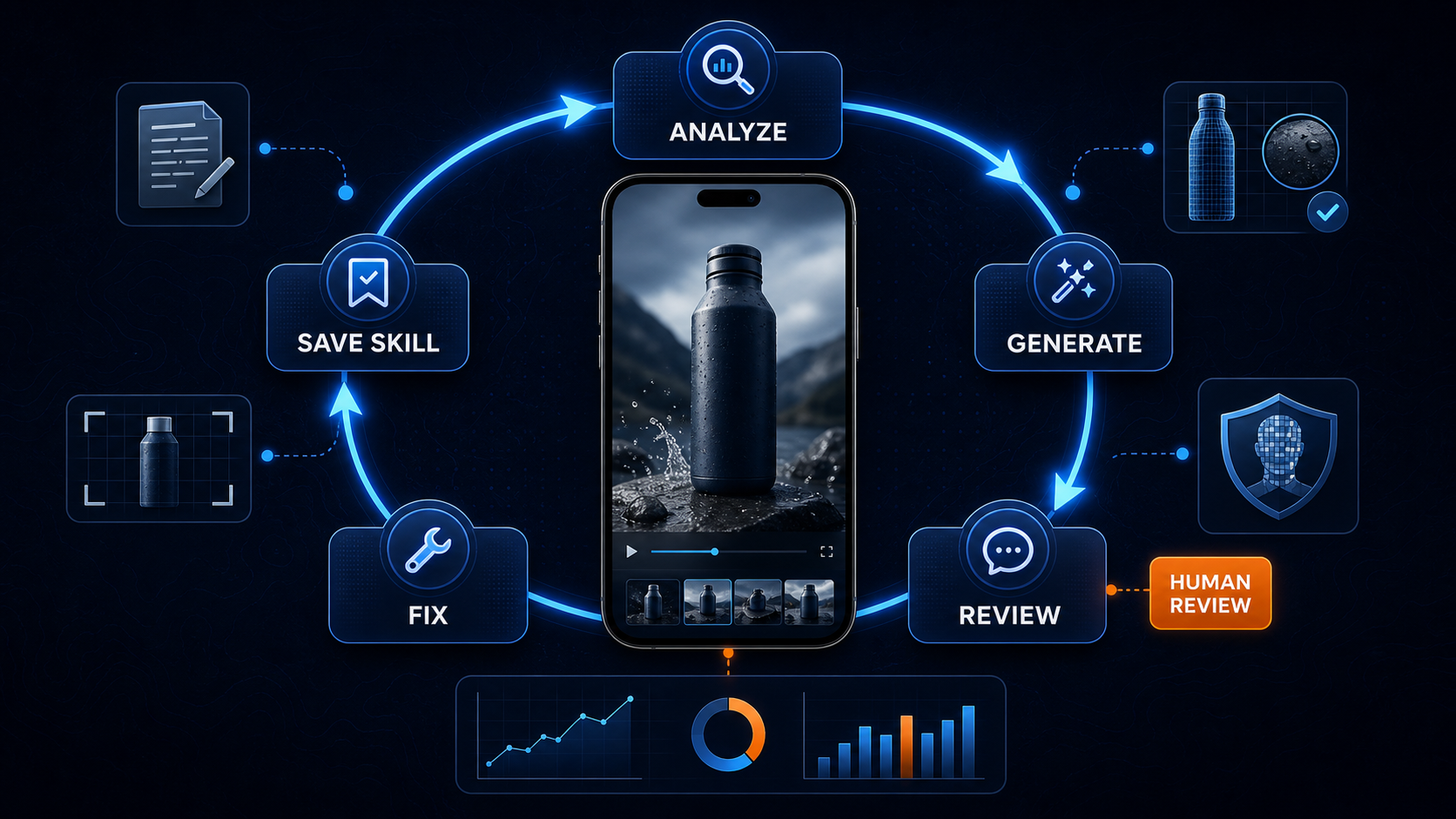
One generation in the video ended with “obsessed, link in bio.” It sounded generic and made the AI origin more obvious. That is exactly why a review loop matters.
Before publishing, ask:
- Does the generated product match the listing?
- Are the quantity, price, discount, and shipping claims verified?
- Does the voiceover sound like a person in this niche?
- Is the CTA compatible with the actual TikTok product link?
- Could any visual or spoken claim mislead the buyer?
- Have I followed TikTok’s current AI-content rules and the seller’s affiliate terms?
When you find a recurring problem, update the Skill. For example: “Never use the phrase ‘I’m obsessed,’” “do not show a face,” or “do not mention a discount unless supplied in the product facts.” That turns mistakes into permanent workflow improvements.
How to Measure Whether the System Is Working
Do not judge the workflow by how impressive one generation looks. Track operational and commercial results:
- cost per generated video
- percentage approved without regeneration
- average revisions per video
- time from product selection to final export
- three-second hold rate
- product clicks and click-through rate
- conversion rate and GMV per thousand views
- commission after refunds and content costs
A good Skill should improve consistency and reduce production time. If it only increases output while product accuracy or conversion falls, it is not a useful automation.
Frequently Asked Questions
Can Codex create TikTok Shop videos by itself?
Codex can analyze, plan, create reusable Skills, and operate connected tools, but video rendering still requires a video-generation service. In this workflow, that production layer is Krafie Video Studio.
Can Codex analyze a TikTok video link?
It may be able to inspect an accessible public link in a tool-enabled session, as demonstrated in the source video. TikTok pages can block automated access, so keep a downloaded reference file, screenshots, and transcript as fallbacks.
What is the best TikTok Shop AI video length?
There is no universal best length. The formats in this tutorial use roughly 9–12 seconds for shoes, about 9 seconds for silent clothing, and about 15 seconds for a multi-product beauty bundle. Use the shortest duration that clearly communicates the offer.
Should AI TikTok Shop videos include text?
Not always. For a silent clothing format, generating clean footage and adding native TikTok text afterward gives you more control. Voiceover-led shoe and bundle videos may work without baked-in text. Test both approaches.
Can I copy another creator’s viral video?
Use successful videos to study general structure, pacing, and offer presentation—not to duplicate a creator’s footage, identity, script, or distinctive expression. Generate original assets and adapt the framework to accurate product facts.
Does high GMV mean the creator earned that amount?
No. GMV measures merchandise sold, not creator income. Earnings depend on commission rates, attribution, refunds, seller terms, and other costs.
Build Your First Codex-to-Krafie Video Skill
Start with one product category and one format. Do not build ten Skills before you know the first one can produce accurate, publishable videos.
- Choose a simple reference format.
- Ask Codex to break down its hook, shots, voiceover, and CTA.
- Save the workflow as a Skill.
- Connect Krafie through MCP.
- Generate one original product video.
- Review it manually and add every correction back to the Skill.
- Test new products with controlled variations.
Ready to generate the videos?
Connect Codex to Krafie, turn your best formats into reusable Skills, and generate new TikTok Shop product videos from one workflow.
For more context, continue with the Claude Cowork automation workflow or the complete guide on using Krafie to generate and sell digital products.
The real advantage is not one AI video. It is a reusable system that gets more accurate every time you review it.