

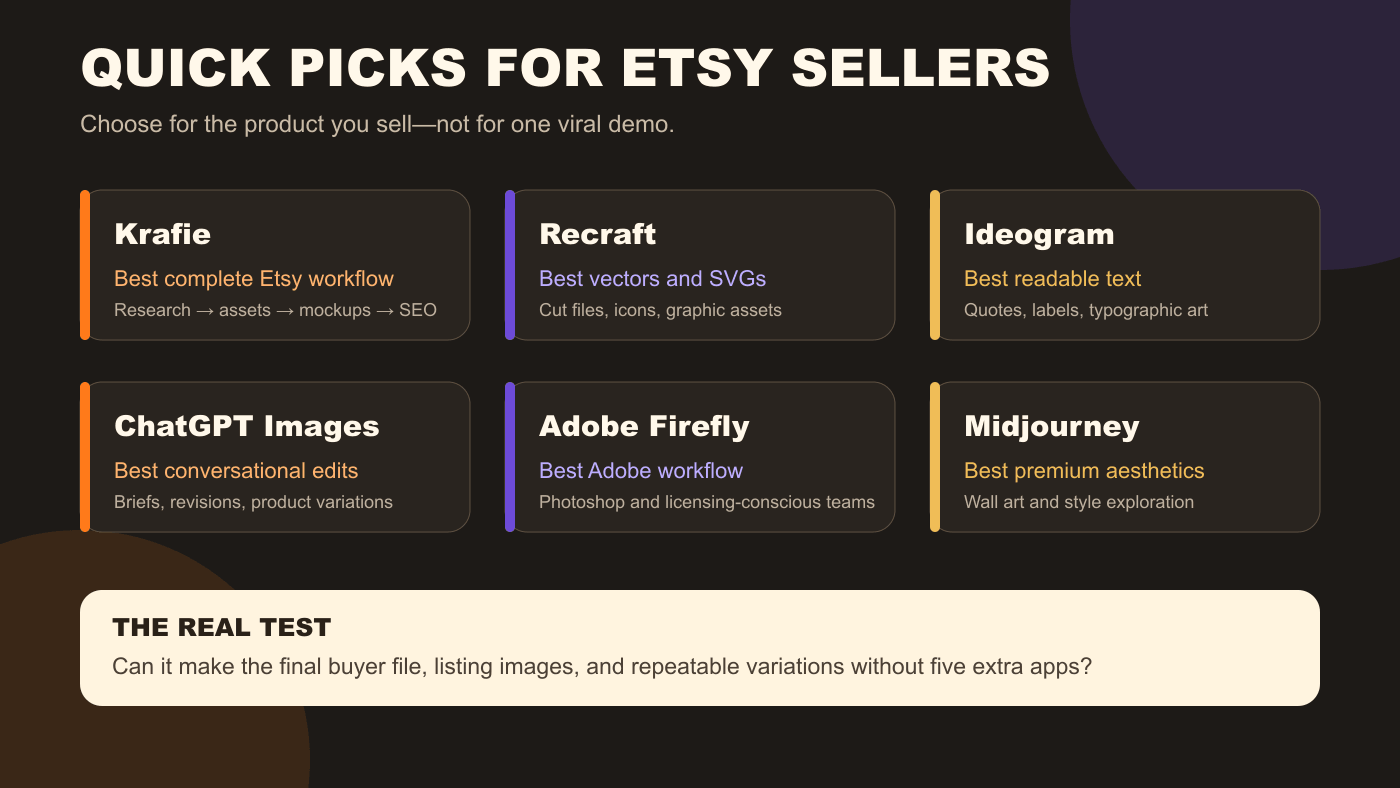
The best AI image generator for an Etsy seller depends on what you sell. Krafie is the strongest all-in-one option for a complete digital product creation workflow, Recraft is better for vectors, Ideogram is useful for text-heavy designs, ChatGPT Images is easiest for conversational revisions, Adobe Firefly fits Adobe users, and Midjourney remains strong for polished visual styles.
If you want one creative studio for generation, editing, background removal, upscaling, mockups, product research, and listing preparation, start with Krafie. If one specialized output matters more than the full workflow, choose the matching specialist below.
Krafie publishes this article and is included in the comparison. To keep the ranking useful, each tool is judged by the same Etsy-specific criteria: product-ready output, editing and export options, text or vector usefulness, clarity of commercial terms, workflow time, and overall value. This is an editorial use-case ranking, not a laboratory image-quality benchmark.
The best AI image generators for Etsy sellers
| Tool | Best for | Main Etsy advantage | Watch out for |
|---|---|---|---|
| Krafie | Full store workflow | Research, creation, editing, mockups, and SEO in one place | Token use varies by model and task |
| Recraft | Vectors and graphic assets | Strong vector-oriented generation and editing | Free-plan images are not licensed for commercial use |
| Ideogram | Text-heavy designs | Useful typography for quotes, labels, and posters | Every word still needs manual proofreading |
| ChatGPT Images | Iterative editing | Easy back-and-forth changes using plain language | Outputs may not be unique; review rights and originality |
| Adobe Firefly | Adobe users | Fits Photoshop and Adobe Express workflows | Credits and feature access depend on the plan |
| Midjourney | Visual style exploration | Distinctive aesthetics for art-led products | More handoffs for final files, text, mockups, and SEO |
1Krafie — best overall digital product workflow
Best for: sellers who want to research, create, prepare, and market digital products in one platform.
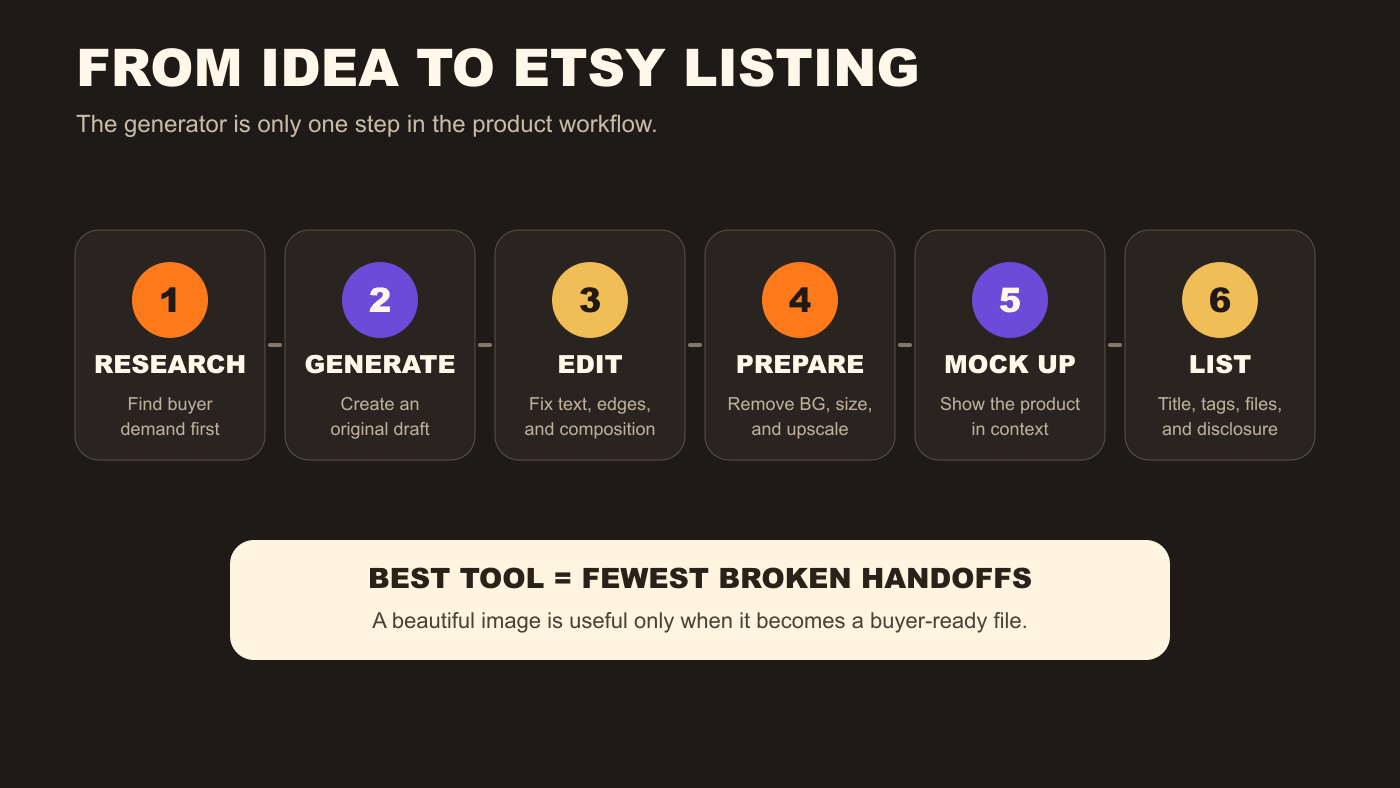
Krafie ranks first because Etsy sellers need more than an image generator. A product still has to be edited, resized, upscaled, placed into mockups, packaged, and listed with a searchable title and tags. Krafie combines those creative tools with Product Research using Etsy listing data, so you can use observed demand signals to inform your own design ideas.
The platform includes an AI image generator, image editor, background removal, upscaling, mockups, clipart, SVG and cross-stitch tools, Product Research, and Listing Optimizer on eligible plans. Research uses Etsy listing data, and Listing Optimizer prepares content in Etsy's listing format. It is especially practical when you sell several product types—such as t-shirt PNGs, wall art, clipart, and patterns—and do not want a separate subscription for every step.
Try this: Find one promising product type in Krafie Product Research, generate an original concept, clean it in the editor, create one mockup, and prepare the listing content before expanding into a full bundle.
2Recraft — best for vectors and SVG-style assets
Best for: cut-file sellers, icon packs, simple graphics, and products that need scalable vector output.
Recraft is the strongest specialist here when the final product needs to behave like a graphic asset rather than a painting. Its platform and API support image and vector generation, editing, background removal, inpainting, and outpainting.
That makes it a good fit for SVG-style products, logos, icons, simple clipart, and graphics that may need clean edges or further editing. The important licensing detail is plan-dependent: Recraft says images made on its free plan are owned by Recraft, publicly visible, and not licensed for commercial use. Its paid plans grant ownership and commercial rights for images generated while subscribed.
Try this: Create one simple icon set, export it in the formats you intend to sell, then test the files in the software your buyer is likely to use.
3Ideogram — best for readable text
Best for: quote art, labels, signs, invitations, and designs where typography is part of the image.
Ideogram is useful when your prompt includes words that must appear inside the artwork. It is often easier to reach a usable first draft for typographic designs than with tools that focus mainly on illustration.
That advantage does not remove the need for proofreading. A single wrong letter can turn a printable sign or shirt design into a refund. Verify every word at full size, and consider adding final text manually in an editor when exact spelling is critical.
Try this: Use Ideogram for the composition, then rebuild the final wording in an editor with a font you are licensed to use commercially.
4ChatGPT Images — best for conversational revisions
Best for: beginners who want to describe changes in plain language and refine one concept over several turns.
ChatGPT is useful when the hard part is not writing one perfect prompt, but explaining a product brief and improving it step by step. You can ask for a different layout, remove an object, change a color palette, or create a related variation without rebuilding the entire instruction each time.
OpenAI's terms say users own output to the extent permitted by law, but also warn that output may not be unique. In practical Etsy terms, you still need to check originality, avoid protected characters and logos, and edit the result into your own product.
Try this: Give ChatGPT a short product brief with buyer, occasion, product format, palette, and exclusions. Then request one change at a time.
5Adobe Firefly — best for Adobe users
Best for: sellers already using Photoshop, Illustrator, or Adobe Express.
Adobe Firefly makes the most sense when image generation is one part of an existing Adobe workflow. You can move from generation to more precise editing without exporting through several unrelated tools.
Adobe positions Firefly as commercially safe and says its models are trained with licensed and public-domain content rather than customer content. Adobe's generative-AI guidelines generally allow commercial use of output unless a beta feature is specifically labeled otherwise. That is helpful context, not a guarantee that every result is free from third-party rights.
Try this: Generate the base concept in Firefly, then finish typography, bleed, dimensions, and export inside the Adobe app you already know.
6Midjourney — best for premium aesthetics
Best for: art-led wall prints, mood-heavy collections, and fast visual style exploration.
Midjourney remains a strong choice when the visual style is the product. It is useful for exploring editorial, fantasy, painterly, vintage, and decorative directions before committing to a collection.
The tradeoff is workflow. Etsy sellers often need another editor for precise text, transparent files, ratios, packaging, mockups, and SEO. Privacy and generation speed also vary by plan, so review Midjourney's current plan comparison and commercial-use terms before using it for client work or unpublished product ideas.
Try this: Use Midjourney to explore one coherent collection, choose the strongest direction, then finish and package the files in a separate production workflow.
Which AI image generator should you choose?
- Choose Krafie if you want one workspace to explore product ideas, create designs, and prepare listing assets.
- Choose Recraft if vectors, SVG-style graphics, and clean asset editing are the priority.
- Choose Ideogram if the design depends on readable words inside the image.
- Choose ChatGPT Images if you want to refine a brief through natural conversation.
- Choose Adobe Firefly if Photoshop or Adobe Express is already your production home.
- Choose Midjourney if you want to explore distinctive visual styles before production.
What Etsy requires when you sell AI-generated products
Etsy allows seller-prompted AI creations when they are based on the seller's original prompts. Etsy requires disclosure in the listing description when AI was used. AI prompt bundles do not qualify as “designed by a seller.”
Regardless of the tool, your responsibility is the same:
- Create an original direction instead of copying another listing.
- Avoid protected characters, logos, celebrities, and other third-party rights.
- Disclose AI use in the listing description.
- Inspect every file for text errors, malformed details, and print problems.
- Use mockups and listing images that accurately represent what the buyer receives.
Read Etsy's Creativity Standards and the provider's current terms before selling. Policies and pricing cited in this article were checked on August 14, 2026.
Create your digital product in Krafie
If you are tired of moving one image through five subscriptions, Krafie combines AI generation, editing, background removal, upscaling, mockups, Product Research, and Listing Optimizer in one creative workspace.
Plans currently start at $19.94 per month with 800 tokens. Compare the current Basic, Pro, and Ultra allowances on the Krafie pricing page before subscribing.