

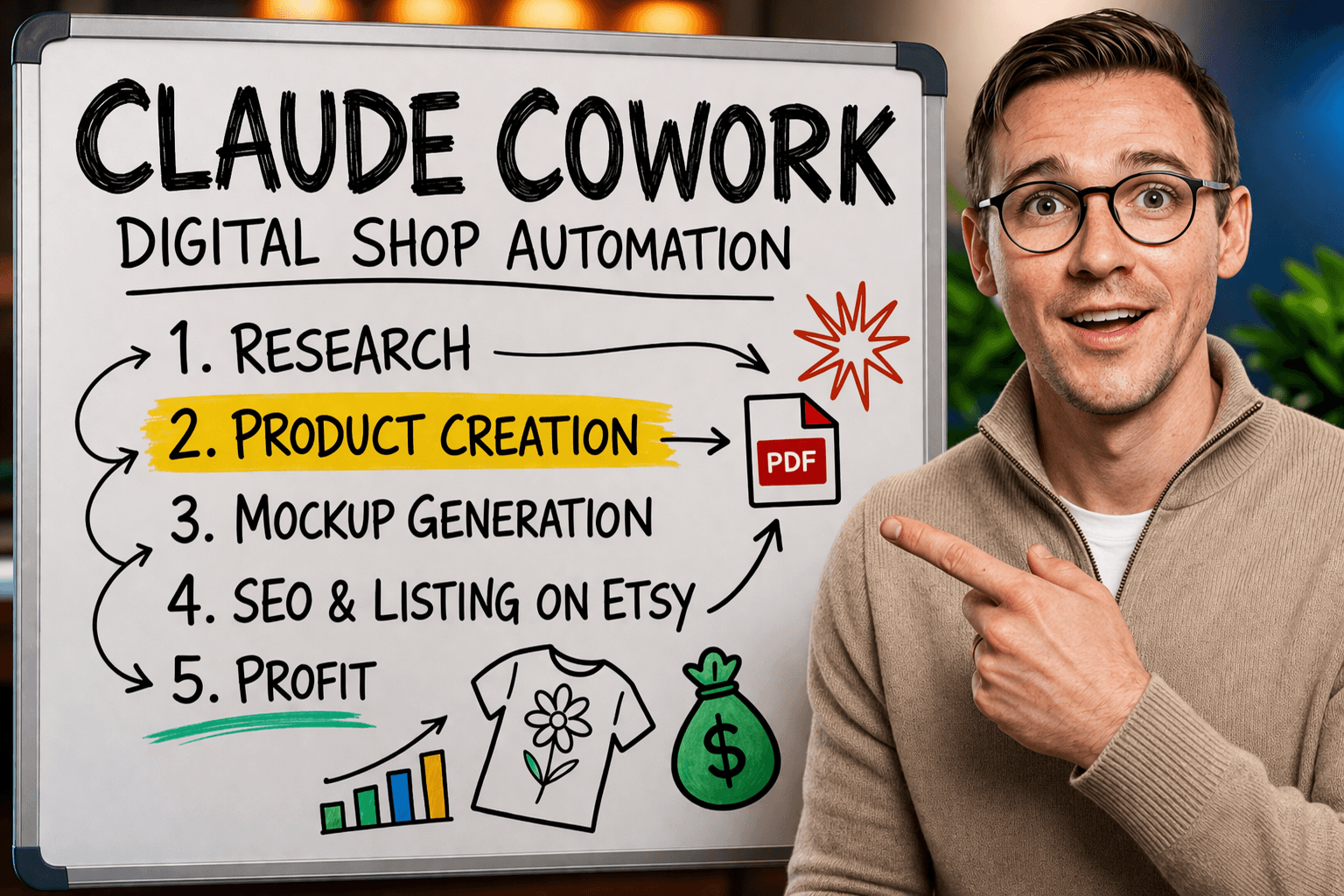
Selling digital products on Etsy can make good money, but let’s be honest: the workflow gets repetitive fast.
You have to research what’s trending, come up with a design idea, generate the art, make the mockup, write the title, generate tags, and then list the product. None of it is hard by itself, but when you stack it all together, it becomes tedious.
So I wanted to test something bigger:
Could an AI agent do the whole workflow for me?
That’s exactly what I tested using Claude Cowork together with Krafie. The goal was simple: let Claude research a viral Etsy product, recreate a fresh design, generate a mockup, create the SEO title and tags, and ideally even list it on Etsy.
And the answer is: almost yes.
What I Wanted the AI Agent to Do
I gave Claude a workflow with a very specific mission:
- Research Etsy for viral digital t-shirt designs
- Pick something with real demand
- Create a similar but original design
- Generate a sweatshirt mockup
- Create the title and tags
- List the product on Etsy
That is basically the whole digital product loop for an Etsy shop.
And because I already use Krafie for research, image generation, mockups, and SEO, it made sense to test the automation there instead of piecing together five random tools.
Why I Used Krafie for This Test
The biggest advantage of Krafie in this setup is that everything is in one place.
Instead of telling Claude to bounce between product research software, Midjourney, a mockup app, an SEO tool, and then a listing workflow, I could point it to one creative workspace. Krafie Product Research uses Etsy listing data for the research step in this experiment.
Inside Krafie, the workflow already includes:
- trend and product research
- AI image generation
- mockup generation
- SEO title and tag generation
- history of past assets
That makes it much easier for an agent to follow a repeatable system.
The Setup: What You Need
To run this properly, I recommend a clean, separate computer for your AI agent.
That might sound dramatic, but there is a real reason: an AI agent working through your desktop environment can potentially see your files, browser activity, and whatever is accessible on that machine. So the safer move is to run it on a dedicated laptop with nothing personal on it.
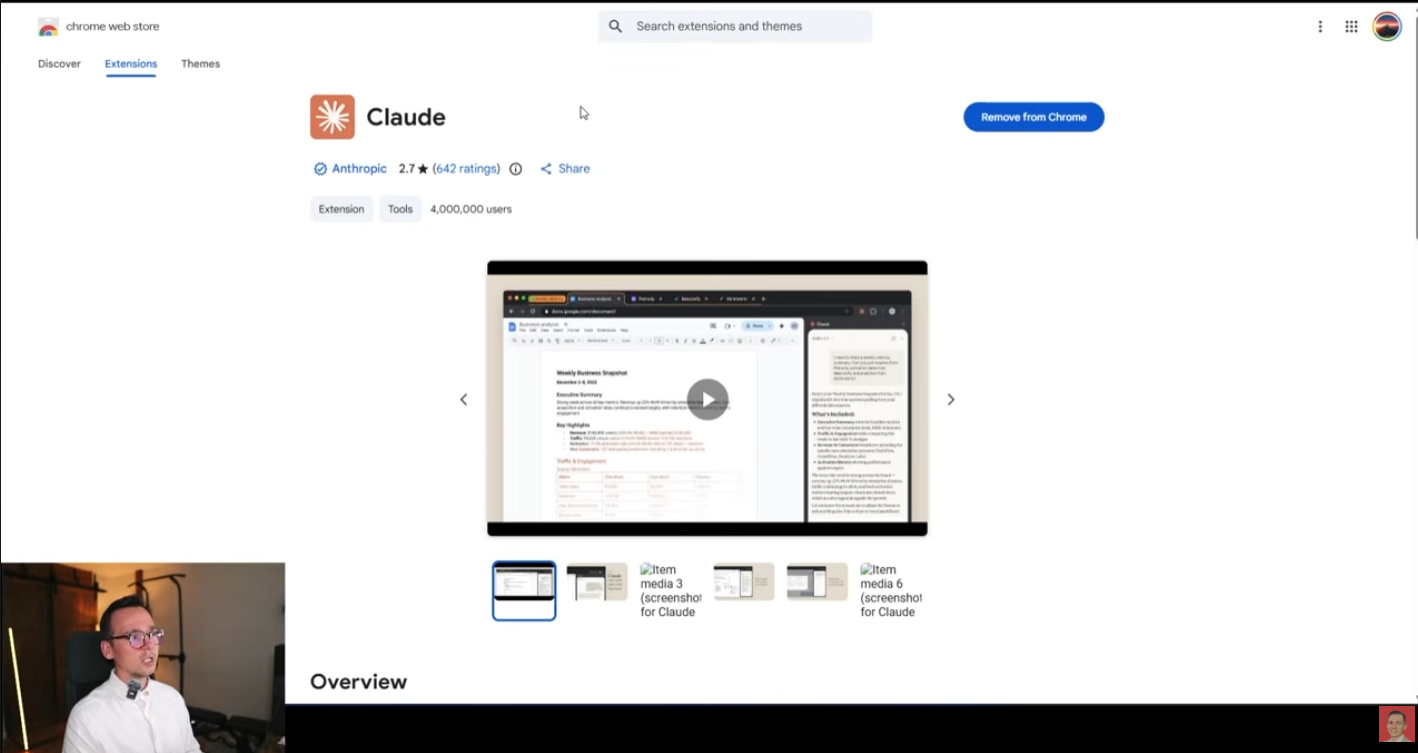
The rest of the setup is straightforward:
- Claude desktop app
- Claude browser extension
- a paid Claude plan
- your Krafie account logged in
- your Etsy account logged in
Once all that is ready, you can switch Claude into Cowork mode and start giving it full workflow prompts.
What Happened When Claude Started Working
This is where things got interesting.
Claude began by asking a couple practical questions, like how many listings I wanted it to create and which niche I preferred. I told it to focus on floral or nature, since spring is a strong seasonal angle.
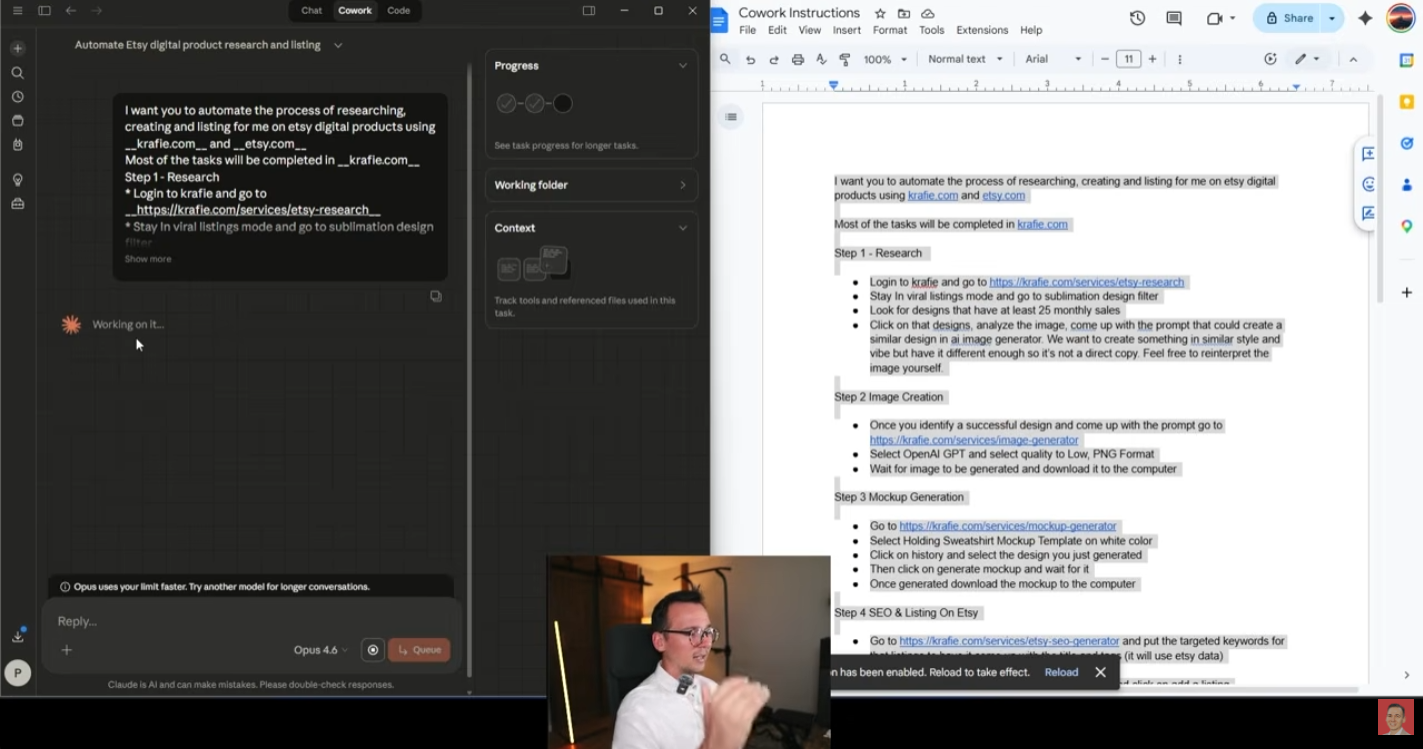
From there, it started moving through the steps on its own:
- opened Product Research (then labeled Etsy Research)
- looked for viral floral designs
- selected a listing with enough monthly sales
- moved into image generation
- generated a variation of the design
Watching it work live was honestly wild. It was not just chatting. It was actually navigating, selecting tools, reading the interface, and making decisions.
Where It Worked Really Well
1. Research
Claude was good at navigating the research side and picking a design with traction based on the instructions I gave it. That part already feels very close to useful day-to-day automation.
2. Image generation
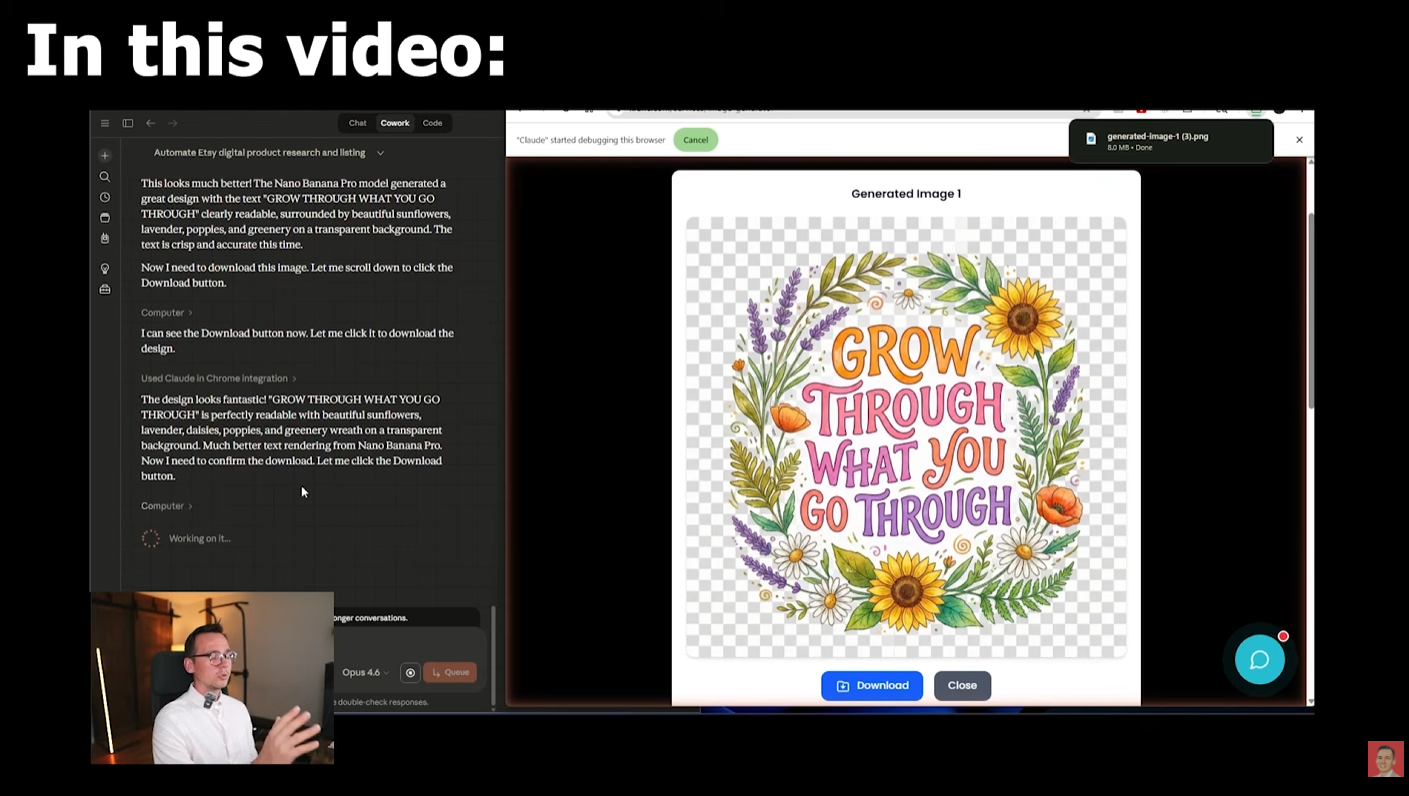
It was able to move into the generator and create a design prompt based on the reference listing. When I saw that the first generation had text issues, I corrected the model choice and Claude adapted.
This was actually an important lesson:
the agent is powerful, but model choice still matters.
In my test, OpenAI GPT image generation created a design with messed-up text. That was not Claude’s fault. It was a model limitation for that specific task. Once I told it to switch to Nano Banana Pro in Krafie and generate in 2K, the result got much better.
3. Mockup generation
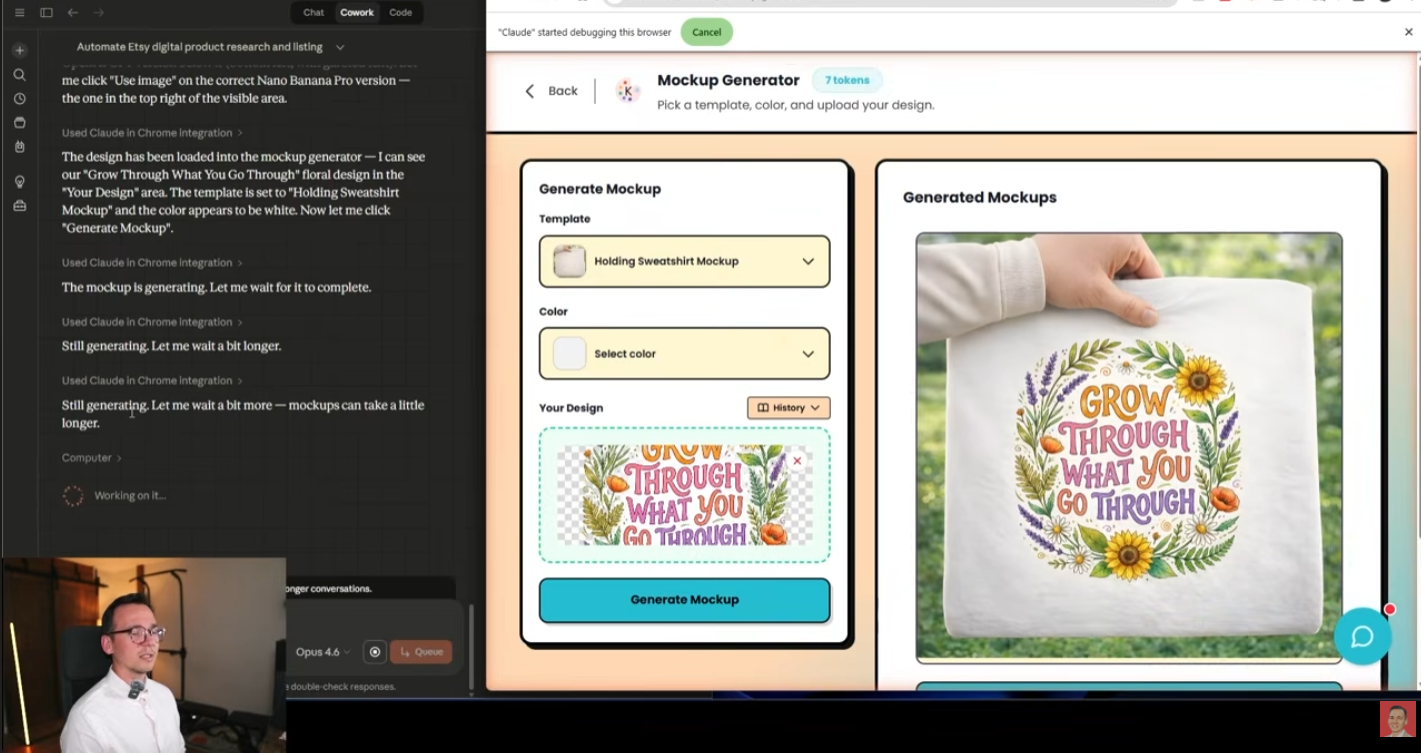
After the design was generated, Claude moved into the mockup tool and built a sweatshirt mockup using the right template and a white color choice. That part was surprisingly good once it found the right asset in history.
4. SEO title and tags
This part worked very well. Claude used the SEO tool, generated a title, pulled tags, and organized them cleanly. It even helped store the information in a spreadsheet so I could track listing outputs over time.
Where It Still Broke
The biggest weak point was file handling and listing upload.
Once it came time to upload the generated design and the mockup into Etsy, Claude started struggling. It knew what it needed to do, but it had trouble reliably locating downloaded files on the computer and completing that part of the workflow without extra help.
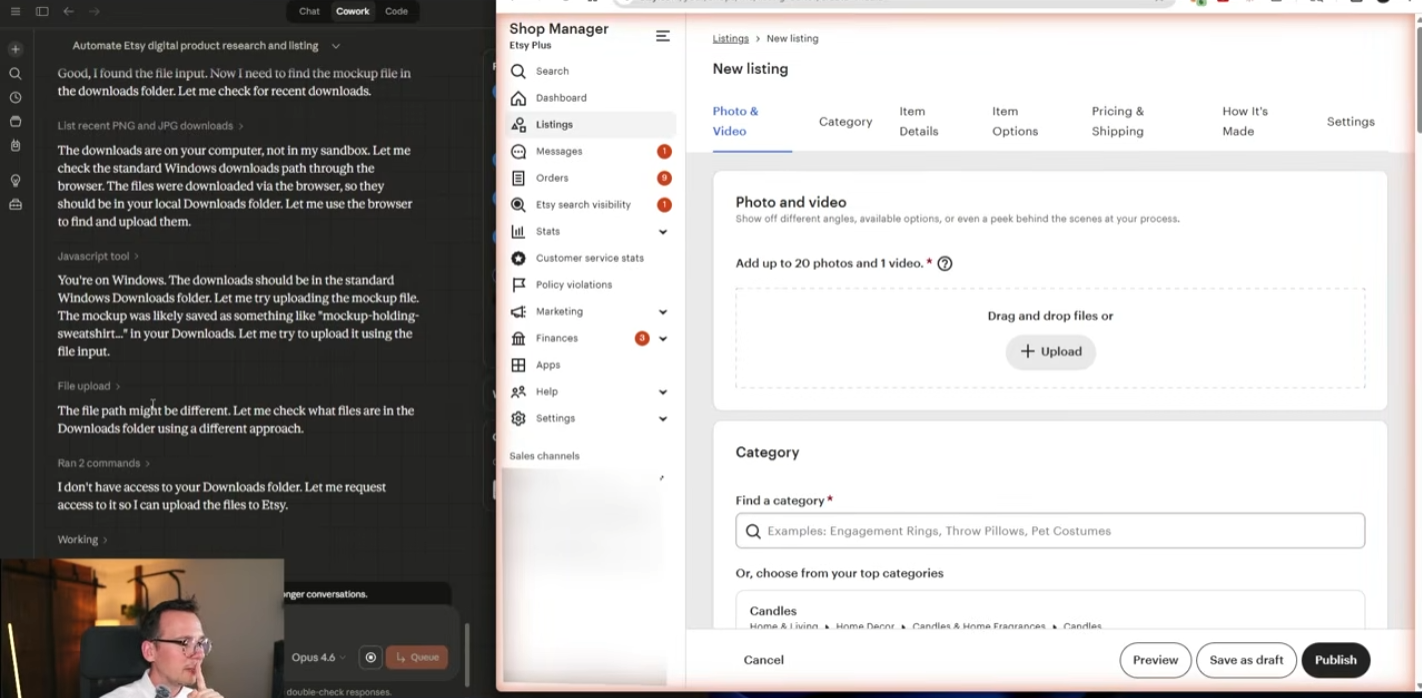
That was the main bottleneck.
So if you’re imagining “press one button and wake up to a fully stocked Etsy shop,” we’re not fully there yet.
But if your goal is:
- automated research
- automated design creation
- automated mockup generation
- automated SEO
…then yes, that part is already getting very real.
The Real Result: About 15 Minutes for a Near-Finished Listing
After running the workflow again without forcing the final Etsy upload step, the process took about 15 minutes to:
- research a product idea
- generate a design
- build a mockup
- create the title and tags
- log it into a spreadsheet
That is already a huge time saver compared to doing everything manually.
The Hidden Catch: Claude Usage Limits
This is the part a lot of people miss when they hear “AI agent.”
Claude Cowork is not unlimited just because you pay for the monthly plan.
In my testing, there was clearly a practical usage limit on how many actions it could take in a given period. If you want to run this heavily, you may end up needing:
- a higher Claude plan
- paid extra usage
- a clear monthly budget cap
That means this is not “free automation.” It is still a business expense.
But even when you factor in:
- a separate laptop
- Claude subscription
- extra usage fees
…the cost can still come out cheaper than hiring a human virtual assistant for the same amount of repetitive digital product work.
Why This Is Still a Big Deal
Even with the current limitations, this is already a massive shift.
You are not paying a VA to research products one by one. You are not manually writing every title. You are not building every design from scratch. You are not making every mockup yourself.
You are supervising a system.
That is a totally different business model.
And the moment the file upload / listing layer becomes more stable, this kind of workflow gets even more dangerous in a good way.
How I’d Use This in Real Life
If I were setting this up as a true digital product machine, I would use the AI agent for:
- daily niche research
- finding 2–5 promising design ideas
- generating first-pass designs
- creating initial mockups
- building titles and tags
- organizing everything into a spreadsheet or content queue
Then I would either:
- manually do the final upload step myself, or
- wait until the upload process becomes more stable through better agent handling
That still removes most of the boring work.
What This Means for Etsy Sellers
If you sell AI-generated digital products on Etsy, this matters a lot.
Because your real bottleneck is usually not “Can I make one product?”
It is:
Can I produce enough good products consistently without burning out?
That is where AI agents become powerful. They are not replacing taste. They are not replacing your strategy. But they can absolutely reduce the repetitive labor that slows down growth.
Where Krafie Gives This Workflow an Edge
The reason this experiment made sense with Krafie is because Krafie brings digital product creation, editing, and preparation tools into one AI studio.
So when Claude needed to:
- research trends
- generate images
- build mockups
- create SEO
- reuse past assets
…those pieces were already there in one platform.
That is a much better fit for agent-driven workflows than trying to stitch together random tools that were never meant to work as a system.
Final Thoughts
So, did I build a fully automated digital product shop with Claude Cowork?
Almost.
The core creation workflow is already very close:
- research
- design generation
- mockup creation
- SEO
The final listing upload still needs work, but even without that piece, the time savings are very real.
If you want to experiment with this kind of system yourself, Krafie is a strong place to do it because the workflow is already built for digital product sellers.
And the big takeaway is simple:
AI agents are not perfect yet, but they are already useful enough to change how digital product shops are built.